Store speed directly influences whether visitors buy or leave. Even small delays during browsing or checkout create hesitation and reduce trust. Effective Shopify performance optimization focuses on practical improvements such as lighter themes, faster scripts, optimized media, and streamlined checkout experiences.
When implemented correctly, these fixes reduce load time, improve user experience, and lead to measurable conversion improvement across product pages and checkout funnels.
Speed as a conversion factor
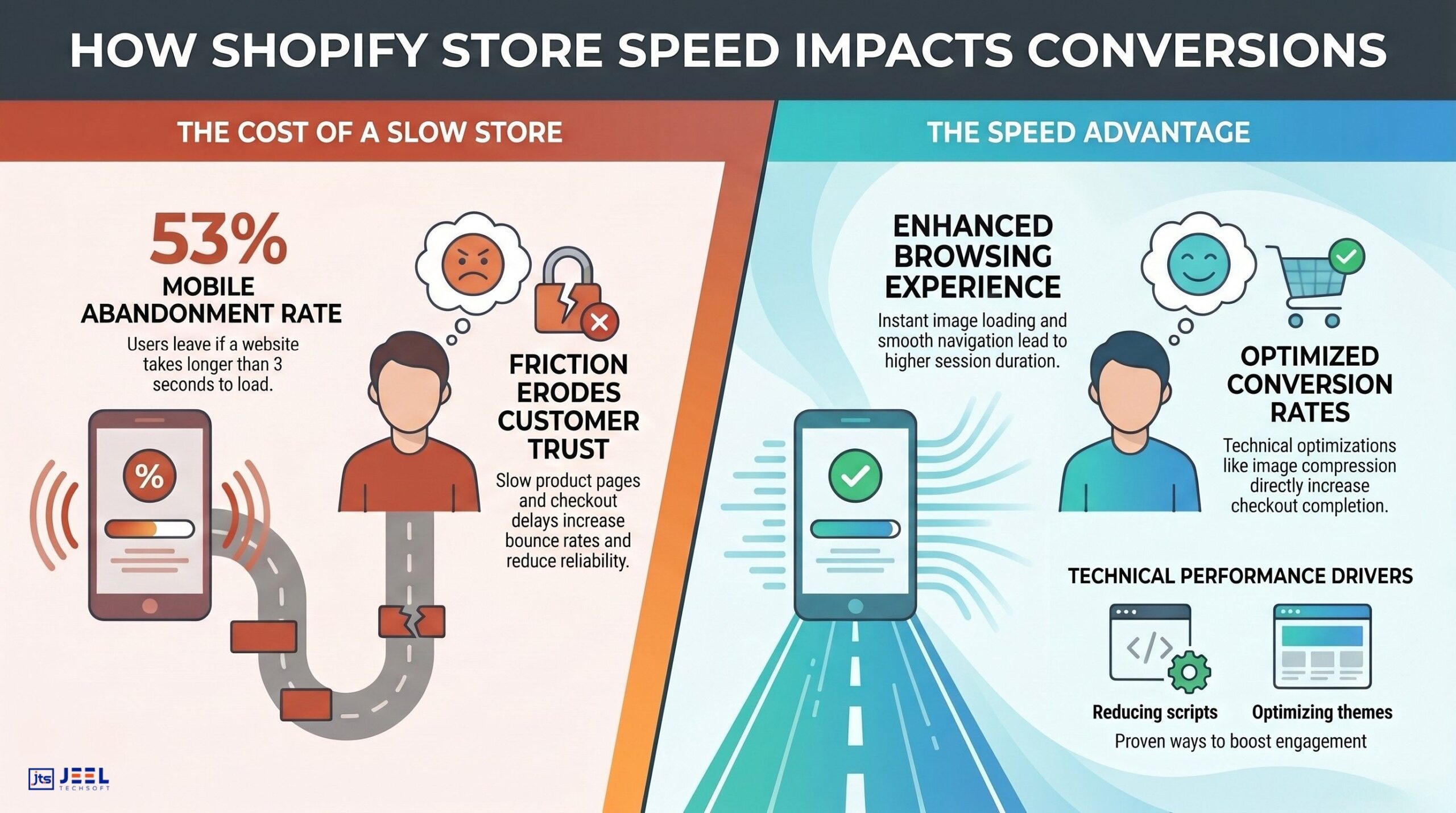
Ecommerce customers are impatient. The moment a page takes longer than expected to load, users begin questioning whether the purchase is worth the wait.
According to Google research, 53% of mobile users abandon a website that takes longer than 3 seconds to load. For online stores, that abandonment translates directly into lost revenue.
Shopify stores are often visually rich. Large images, apps, scripts, and customizations make storefronts attractive but also introduce performance issues that slow down page rendering. The challenge is not simply making a store look good; it is ensuring that design decisions support conversions rather than hurting them.
Speed affects three critical parts of the buying journey:
1. Product discovery
Customers browsing collections expect an instant response. Slow category pages make users abandon browsing sessions quickly.
2. Product decision stage
When product pages load slowly, customers lose engagement. They hesitate to read descriptions, watch product videos, or check reviews.
3. Checkout completion
Checkout friction caused by slow scripts or loading payment gateways increases cart abandonment.
A Shopify store that loads quickly builds trust. It signals professionalism and reliability, two factors that heavily influence purchasing decisions.
Businesses investing in Shopify performance optimization consistently see improvements in metrics such as:
- Lower bounce rate
- Higher average session duration
- Increased product page engagement
- Improved checkout completion rate
All of these contribute to conversion improvement.
For brands scaling online sales, performance optimization becomes as important as marketing.
Stores supported by experienced teams providing Shopify development services often prioritize performance architecture early in the development process rather than treating it as an afterthought.
Common performance issues
Before fixing speed problems, it helps to understand what usually causes them.
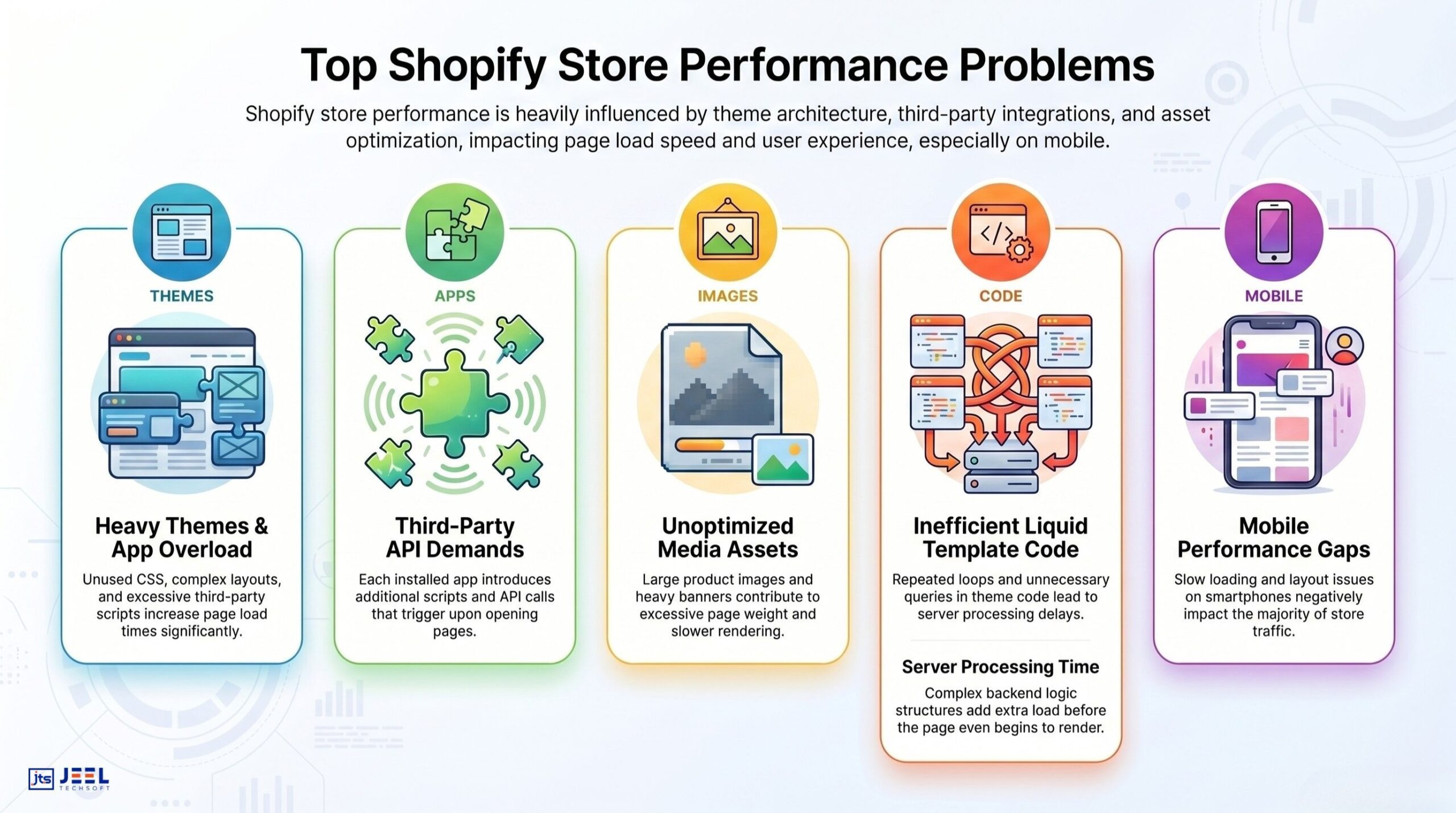
Most Shopify stores do not suffer from a single issue. Instead, performance problems come from a combination of small inefficiencies that accumulate across the storefront.
Below are the most common culprits.
Heavy themes and bloated code
Many Shopify themes prioritize aesthetics over performance. They include multiple design components, animations, and scripts that are rarely used.
Unused CSS, redundant JavaScript, and complex layout structures increase page load time significantly.
A theme that loads unnecessary elements across all pages creates constant performance overhead.
Excessive third-party apps
Apps extend Shopify functionality, but each app introduces additional scripts and API calls.
Stores frequently install apps for:
- popups
- reviews
- analytics
- upsells
- email capture
- personalization
Individually, these apps may have minimal impact. Together, they create a heavy script environment that slows down storefront performance.
Many stores unknowingly run 10–20 scripts simultaneously on product pages.
Unoptimized images and media
Product images are essential for ecommerce, but large image files are a major cause of slow page speed.
Common mistakes include:
- uploading high-resolution images without compression
- using PNG instead of WebP
- loading large hero banners above the fold
- embedding heavy autoplay videos
Without proper media optimization, Shopify pages take significantly longer to render.
Inefficient Liquid code
Shopify themes rely on Liquid templates. Poorly structured Liquid Logic can increase server processing time.
Examples include:
- unnecessary loops
- inefficient product queries
- Repeated API calls
- unoptimized dynamic sections
Even small inefficiencies in Liquid templates multiply across product pages.
Poor mobile performance
More than 70% of Shopify traffic typically comes from mobile devices.
However, many stores are designed desktop-first. Mobile users face:
- slow image loading
- oversized scripts
- poorly structured layouts
Mobile performance directly impacts conversion rate because mobile shoppers abandon slow stores quickly.
Teams specializing in UI UX design services often restructure storefront layouts to reduce friction and improve page interaction speed.
Practical fixes
Once the root causes are clear, performance optimization becomes far more strategic.
The goal is not simply achieving a good PageSpeed score. The objective is to make the buying experience faster and smoother.
Below are practical fixes that consistently deliver measurable results.
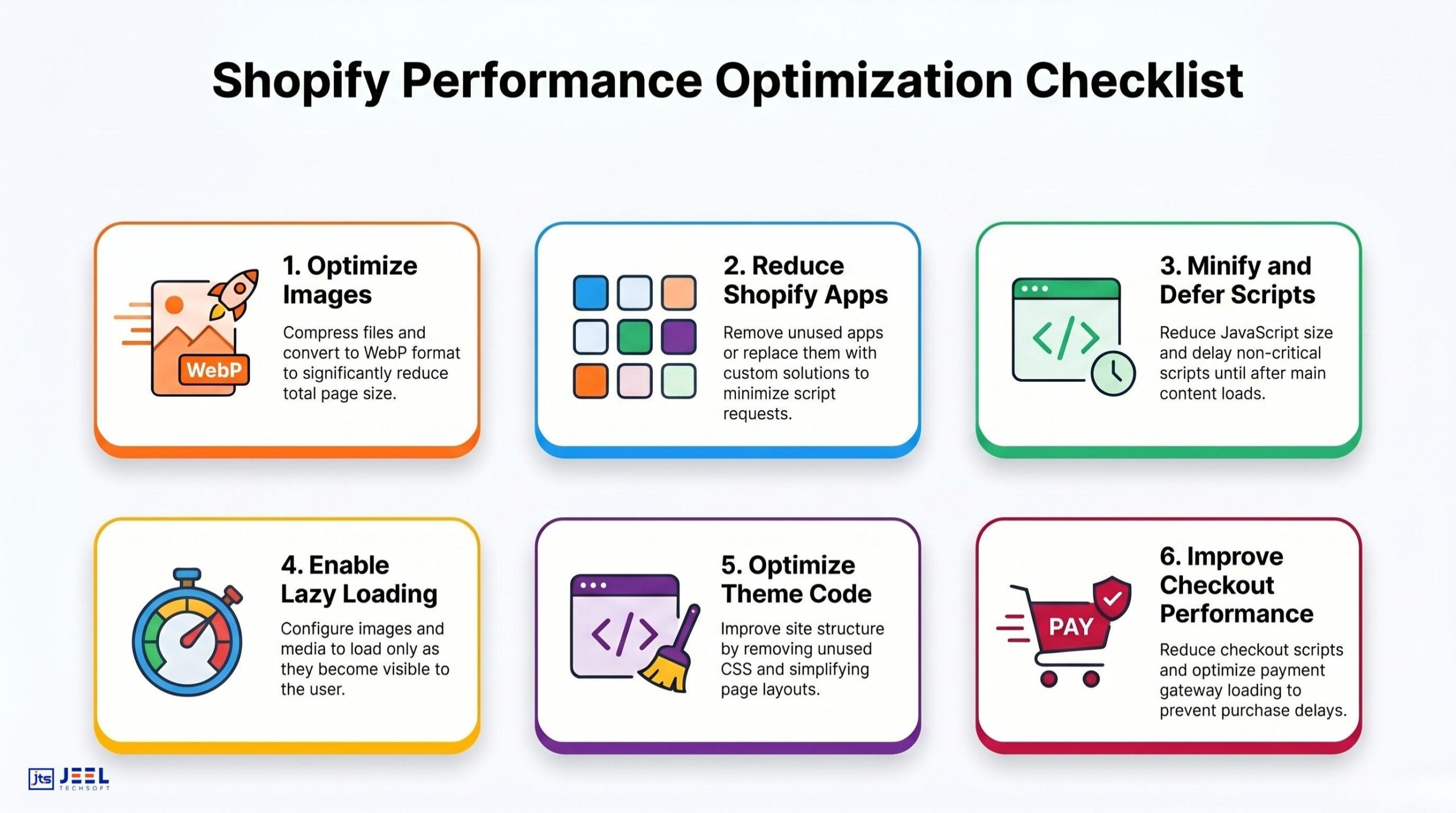
Optimize images and media delivery
Media files are typically the largest elements on Shopify pages.
Key improvements include:
- converting images to WebP format
- compressing files before upload
- using responsive image sizes
- Implementing lazy loading for below-the-fold images
Hero banners should also be optimized carefully. Large banners above the fold dramatically slow initial page load.
A fast-loading storefront prioritizes content that customers see first.
Reduce app dependency
Audit all installed apps and evaluate whether each one is necessary.
Many Shopify stores run multiple apps that perform overlapping functions.
For example:
- two analytics tools
- multiple marketing popups
- duplicate upsell apps
Removing redundant apps immediately reduces script load and improves performance.
In many cases, custom development through Shopify development services can replace several apps with a single lightweight solution.
Minify and defer JavaScript.
JavaScript plays a major role in storefront functionality, but poorly managed scripts slow page rendering.
Key improvements include:
- deferring non-critical scripts
- minifying JavaScript files
- Reducing synchronous loading
- removing unused scripts
When scripts load asynchronously, the browser can render visible content faster.
Optimize Shopify theme architecture
Themes should be designed for performance rather than visual complexity.
Effective theme optimization includes:
- removing unused CSS
- simplifying layout structures
- reducing DOM elements
- minimizing third-party libraries
A well-optimized Shopify theme significantly improves page speed across the entire store.
Implement lazy loading
Lazy loading delays the loading of elements that appear further down the page.
Instead of loading all images and videos at once, content loads only when users scroll.
This approach reduces initial page load time dramatically and improves perceived speed.
Improve checkout performance
Checkout optimization is often overlooked during performance fixes.
However, this stage is where conversion improvement matters most.
Best practices include:
- minimizing custom scripts during checkout
- optimizing payment gateway loading
- Reducing third-party integrations
- simplifying checkout UI elements
Professional conversion rate optimization services frequently focus on checkout flow because even small delays here cause major revenue loss.
Optimize fonts and typography loading
Custom fonts can increase load time if they are not implemented properly.
Effective improvements include:
- using system fonts where possible
- limiting font weights
- preloading essential fonts
- avoiding multiple font families
Font optimization reduces render-blocking elements and improves page speed.
Measuring improvement
Performance optimization must be measured using reliable metrics.
Without proper tracking, improvements remain speculative.
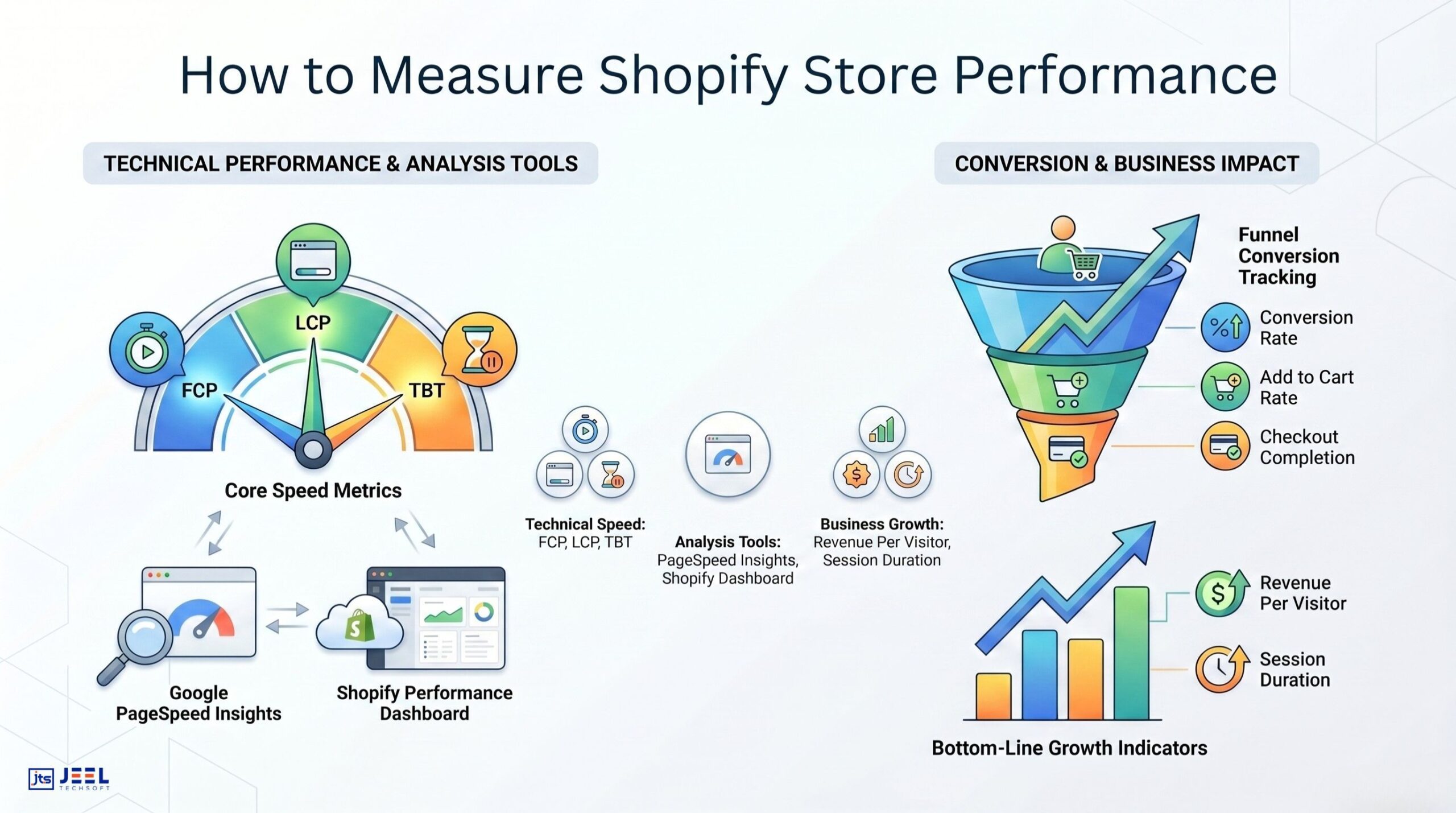
The most effective measurement tools include:
Google PageSpeed Insights
Provides performance diagnostics and actionable suggestions for improvement.
Key metrics include:
- First Contentful Paint (FCP)
- Largest Contentful Paint (LCP)
- Total Blocking Time (TBT)
Shopify Performance Dashboard
Shopify provides native performance insights comparing stores within the same category.
These benchmarks help identify whether your store is underperforming relative to competitors.
Conversion tracking
Performance improvements should ultimately reflect in business metrics.
Track the impact of Shopify performance optimization on:
- conversion rate
- add-to-cart rate
- checkout completion
- Revenue per visitor
When speed improvements are paired with strong design strategy and UI UX design services, stores often see significant conversion improvement within weeks.